Cleaning employee app: time clock, schedule and checklists in English and Spanish
MyLibreta is the app your cleaners use to clock in, see the job and close it out. It is also the screen where you watch how the day is going. Each person picks English or Spanish. It comes with MyLibreta Business, $29 a month for the whole company, so adding your sixth cleaner costs $0.
I run a cleaning company and I built MyLibreta for my own crew. Open the live demo to see the owner's side with a sample cleaning company. No sign-up.
What your cleaners do in the app
- Clock in and out, and take breaks, from their own phone. It runs on iPhone, on Android and in a browser.
- See the job before they knock: the address, how to get in (someone is home, or there is a key or access code), the add-ons for that visit and your notes for the crew.
- Check in at the halfway mark. On a job of an hour or more, the team leader confirms the crew is on pace or taps "Running behind." You get the alert, and it is saved on the job.
- Finish with a checklist. You write it once in English and Spanish. The team leader fills it out with photos. You can allow only photos taken on the spot, so nobody uploads last month's picture.
- Get the schedule by email for today, tomorrow or the week, in their language.
- Ask for time off from the app. You approve or deny it.
Two things stay with you. Internal notes on a job are not shown to workers. And while cleaners see the time on the job and your estimate, you can hide whether they are over or under.
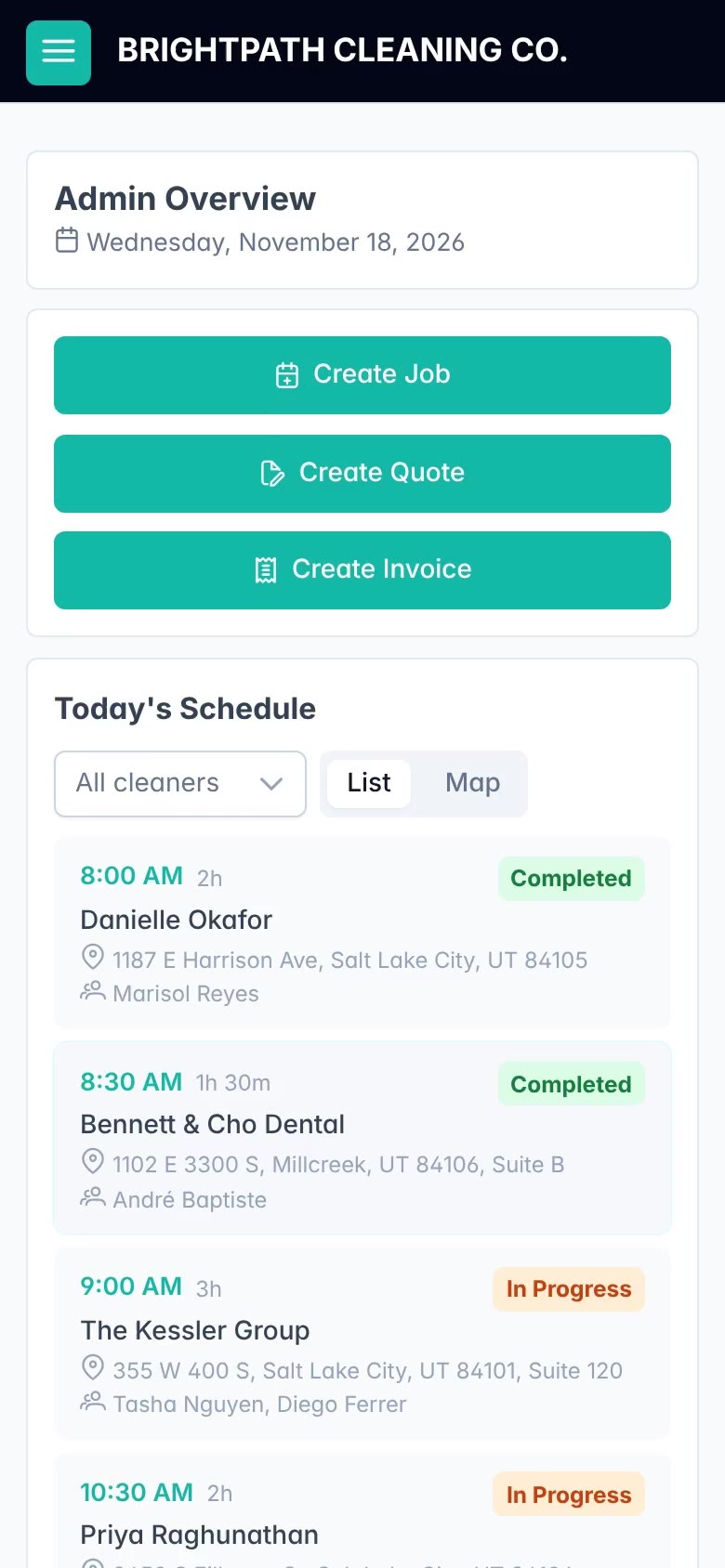
What you see while they work
- Who is on the clock, who is on break and who is between jobs.
- Work, travel and break time for each person today.
- Every job as not started, in progress or completed.
- At the end of the week, hours for each cleaner split into work and travel, next to what the jobs were estimated at. Fix a day, add a missed entry, and export the totals for payroll.
Location is your call
Set location capture to off, optional or required. When it is on, the app saves a location when someone clocks in or out, takes a break or changes a job's status. On "required," the clock button will not work until the phone allows location.
Rolling it out to your crew
- Add each cleaner with an email address and a language. They get an invitation to set a password.
- Mark your team leaders. They own the halfway check-in and the checklist.
- Give one rule and no exceptions: clock in when you arrive, clock out when you leave.
- For the first week, look at the hours every evening and fix mistakes with the person who made them.
- On payday, show each cleaner their own totals. A number that comes from their own taps gets argued about less.
What it costs per cleaner
Nothing per cleaner. Business is $29 a month for the company, with unlimited workers, after a 14-day trial with no card. If you would rather pay once, Lifetime is $999.
Many field service tools charge by the seat. Read on their pricing pages on 17 November 2026:
- Jobber lists $29 a month for each added user.
- ZenMaid's team-size calculator adds $14 a month per team member on its Pro plan, which comes to $109 a month for five people.
If you only need a time clock
Connecteam is free for up to 10 users and covers staff scheduling and a time clock. Use that if hours are all you want.
MyLibreta makes sense when the hours should connect to everything else: the job on the calendar, the estimate you gave, the invoice and the card payment. See cleaning business software and what it costs.
What it doesn't do
It doesn't run payroll, calculate taxes or pay anyone. You get the hours, ready for the payroll you already use.
Questions
Is the employee app on the free plan?
No. Free is for one person running the business. Inviting your first cleaner moves you to Business, and you can try it free for 14 days.
Do my cleaners need an email address?
Yes. Each person gets an invitation by email to set a password and sign in.
Does it work on Android and iPhone?
Yes, and in a browser.
Is the app in Spanish?
Yes. Each cleaner picks English or Spanish and the whole app follows. The checklist shows in their language, and so does a schedule sent by email.
Can I pay some people by the hour and others by the job?
Yes. A person is added as an hourly worker or as a per-job contractor.
What happens when the signal is bad inside a house?
The app retries the clock action when the connection is weak.
For the schedule side, see cleaning business scheduling software. ¿Tu equipo habla español? Lee cómo llevar las horas de tus trabajadores.